
Query loops and dynamic data
We’re back on the homepage. Let’s add a “Latest Posts” section below the hero.
Before we start clicking, we need two core ideas: query loops and dynamic data.
What is a query loop?
Section titled “What is a query loop?”In WordPress, a “query” is just a question like:
- “Give me the 3 latest posts”
- “Give me all posts in this category”
A query loop takes the answer to that question (the list of posts) and repeats a design once for each item.
You design a single card (image, title, excerpt, button). The loop runs through the posts and outputs one card per post. Change the query rules, and the same design shows different posts.
What is dynamic data?
Section titled “What is dynamic data?”Until now, when you added a Heading or Text element, you typed the content manually. That is static text.
With dynamic data, you connect an element to a WordPress field instead:
- Heading pulls the post title
- Image pulls the featured image
- Text pulls the post excerpt
In a loop, each card shows the field values for the current post in the list.
You will see this as options like {post_title} or {featured_image} in Bricks. They are just visual placeholders for real WordPress fields.
Prepare content
Section titled “Prepare content”Ensure you have at least 3 published posts in WordPress with featured images.
Build the section
Section titled “Build the section”- Add a new Section
- Inside the Container, add a Heading (“Latest Posts”)
- Add a Block element below the heading
Configure the Grid
Section titled “Configure the Grid”We want a 3-column grid for our posts.
Earlier in the series you used flexbox for a simple row layout (text on the left, image on the right). CSS Grid is the other famous layout system. It is ideal for two dimensional layouts where you care about rows and columns at the same time, like a grid of cards.
When you set a Block to use Grid, you tell the browser to place its children on a grid.
- The Grid template columns control describes how many columns you want and how wide they should be.
1fr 1fr 1frmeans “three equal columns”, each taking one fraction of the available width.
- The Gap control sets the space between both columns and rows, so your cards are evenly spaced in all directions.
As you add more cards, Grid automatically flows them into these columns, then wraps onto new rows as needed. You do not have to manually position each card.
- Select the Block
- Display:
Grid - Grid template columns:
1fr 1fr 1fr(three equal columns) - Gap:
24
Create the card (Loop item)
Section titled “Create the card (Loop item)”Inside the Grid Block, add another Block (this will be our repeating card).
Inside this Card Block, add:
- Image (Featured Image)
- Heading (Post Title, H3)
- Basic Text (Post Excerpt)
- Text Link (“Read more”)
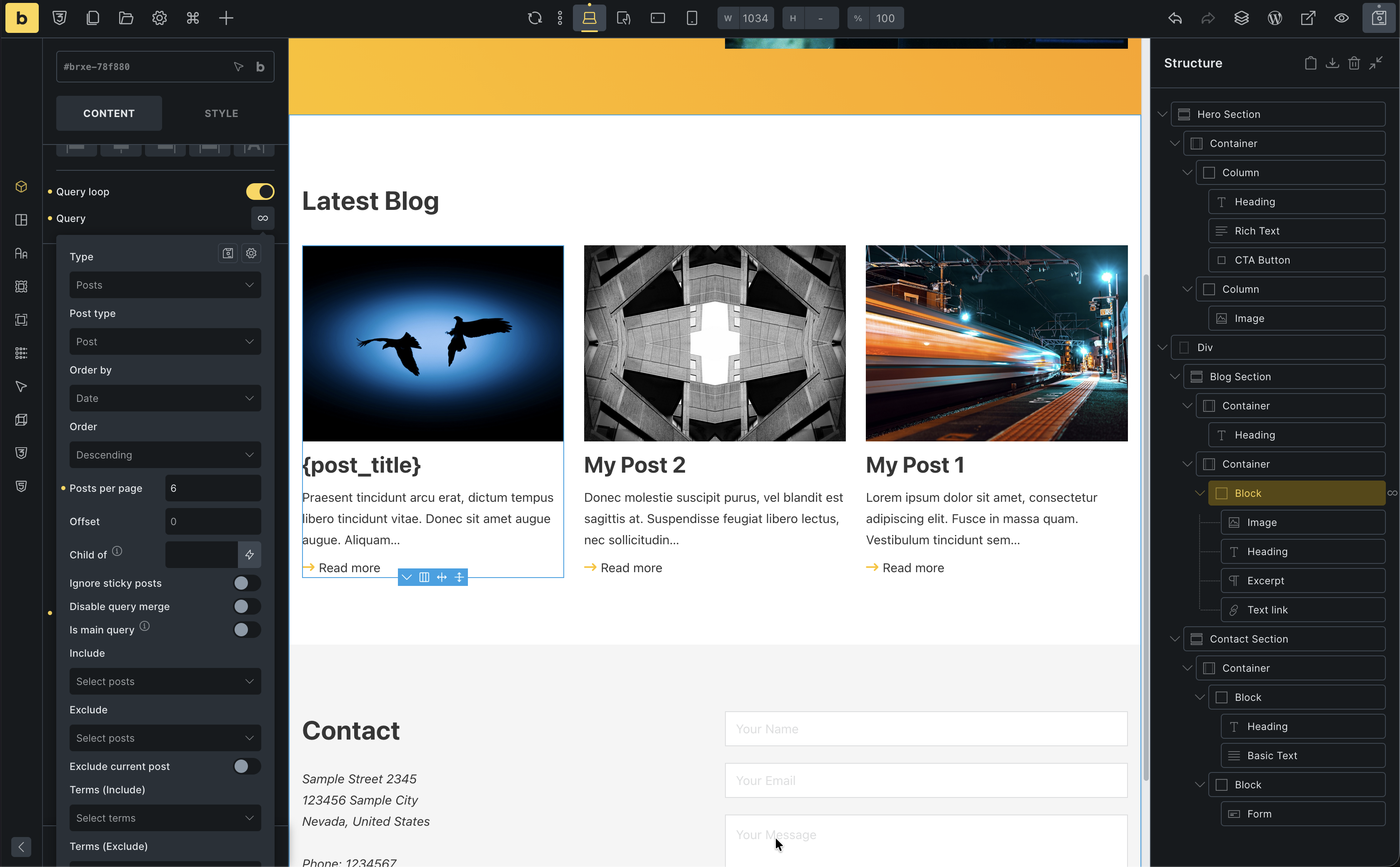
Enable Query Loop
Section titled “Enable Query Loop”- Select the Card Block (the inner one)
- Toggle Use query loop
- Query settings:
- Post type: Posts
- Posts per page: 3
You should now see 3 post cards!
Connect dynamic data
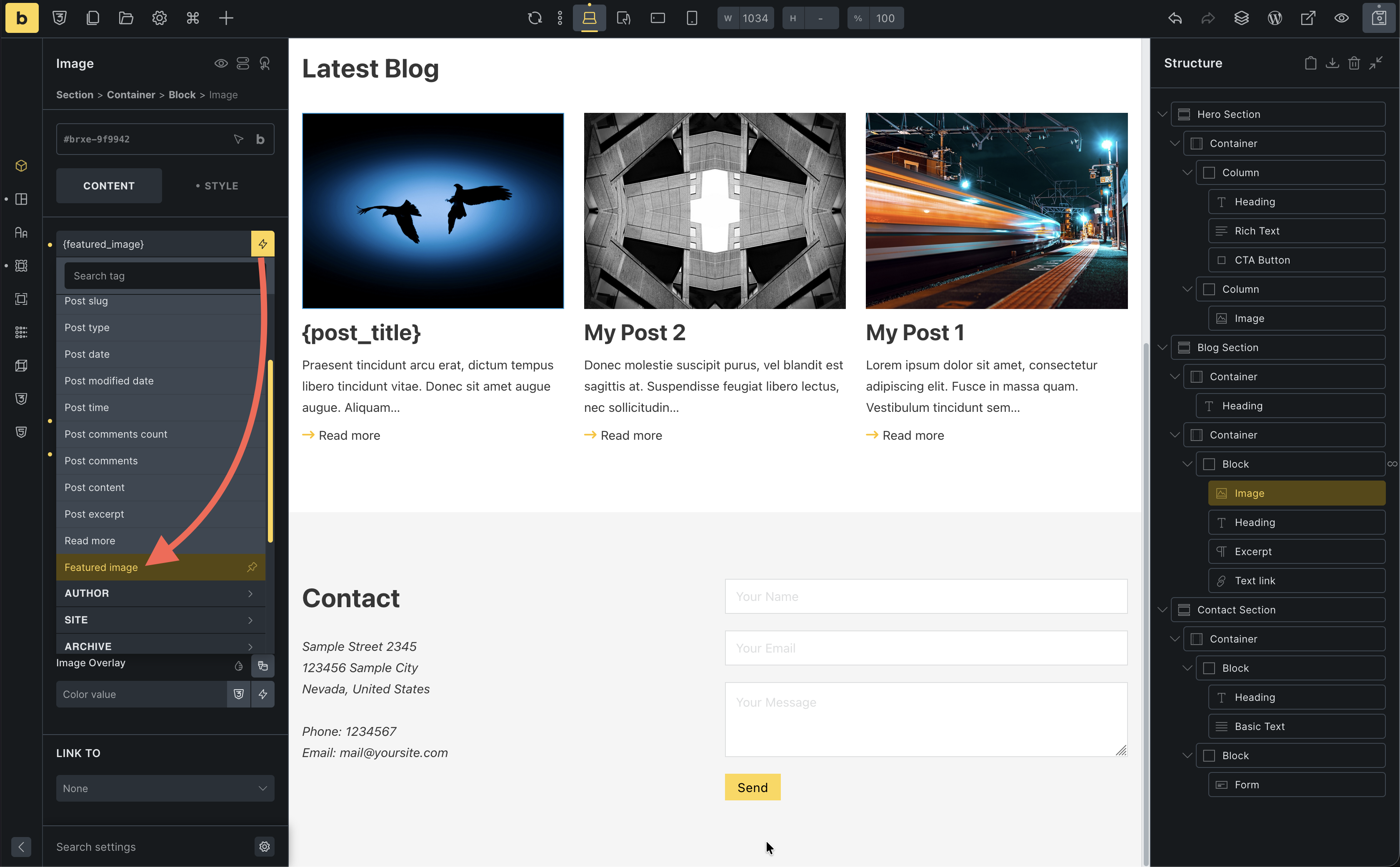
Section titled “Connect dynamic data”- Image: Select dynamic data ->
Featured Image
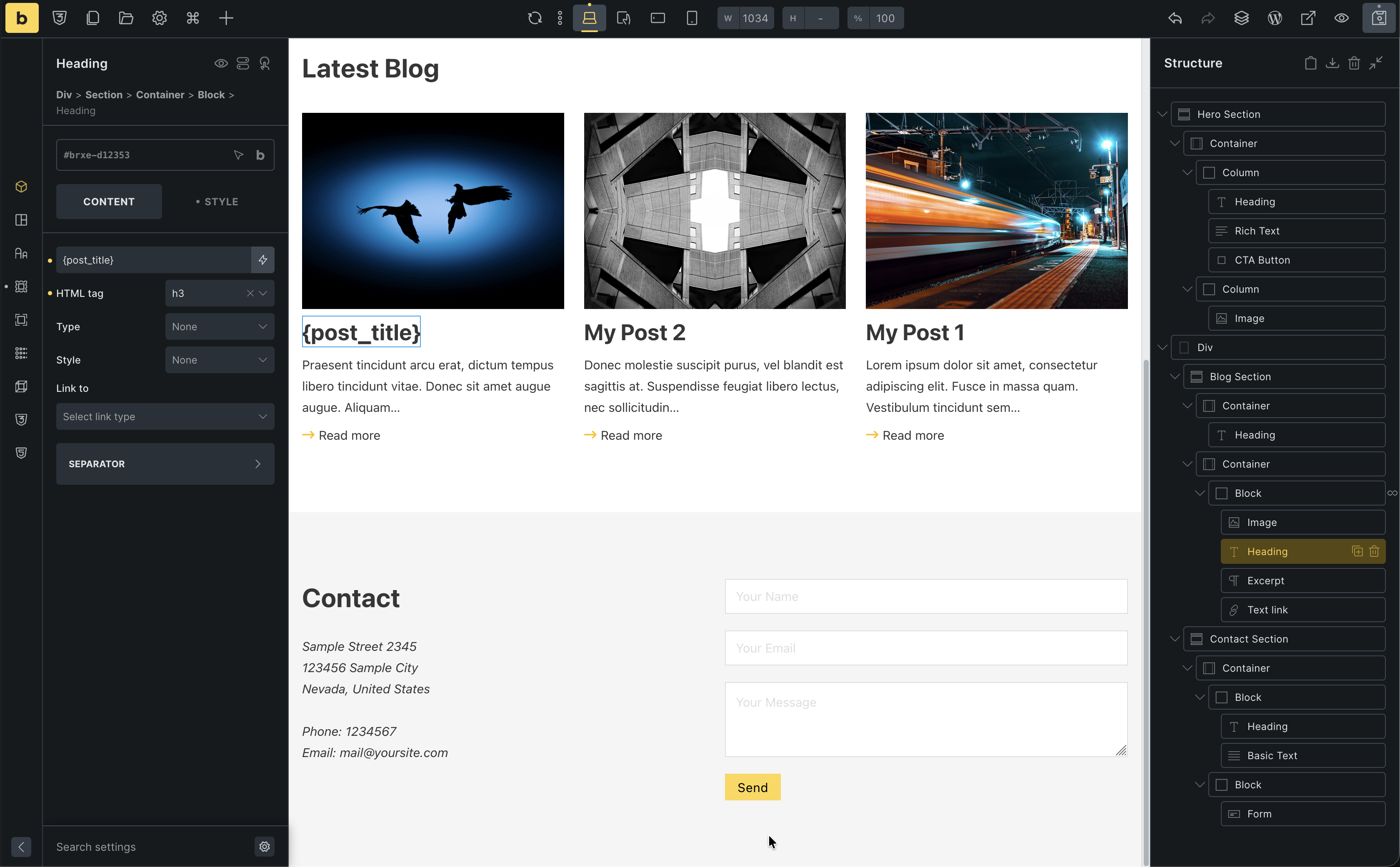
- Heading: Select dynamic data ->
Post Title. Link to ->Post URL
- Excerpt: Select dynamic data ->
Post Excerpt - Read more: Link to ->
Post URL
Responsive check
Section titled “Responsive check”- Switch to Mobile Landscape
- Select the Grid Block
- Change Grid template columns to
1fr(stacks cards vertically)
Done! You have a dynamic post grid.