
WooCommerce Account Builder
Bricks 1.9 introduces the My Account builder, which lets you customize the account area of your WooCommerce site.
This includes the My Account page (logged-in), the account login/register/lost & reset password pages (shown when not logged-in), and all My Account endpoints (e.g., Orders, Downloads, etc.).
My Account Page (logged in)
Section titled “My Account Page (logged in)”To design your My Account page (navigation + content wrapper), please edit your “My Account” page directly. You’ll find a dedicated “Account Page” element that you can add and adjust its settings to your liking.
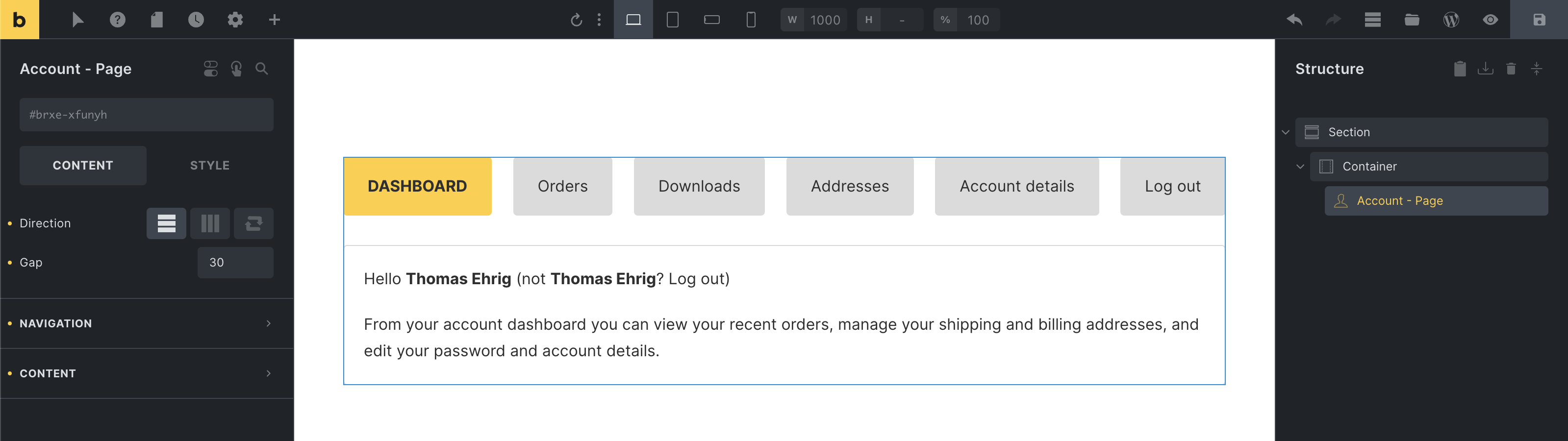
Custom My Account page using the “Account - Page” element
Account - Login / Register
Section titled “Account - Login / Register”The login form is displayed when a not-logged-in visitor views the My Account page. And the registration form, if you have the “Allow customers to create an account on the “My account” page” WooCommerce setting enabled.
You can design your account login/registration layout by creating a new template type “WooCommerce - Account - Login”.
When editing this template, you’ll find dedicated elements for the “Account - Login form” & “Account - Register form” as shown in the screenshot below:
You should also check the Account creation settings located at WooCommerce > Settings > Accounts & Privacy section to control what form to be displayed via Account - Register form element.

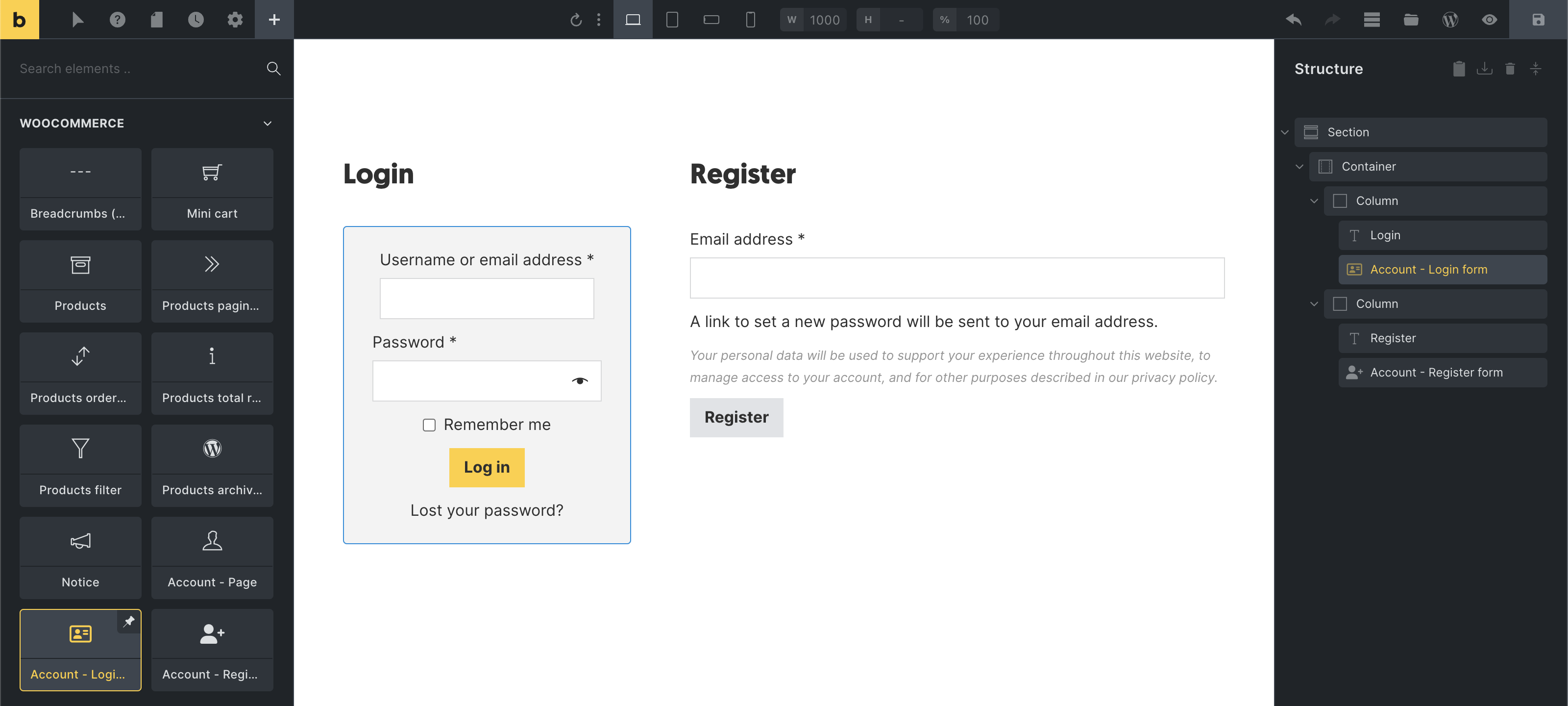
Custom account login/register template
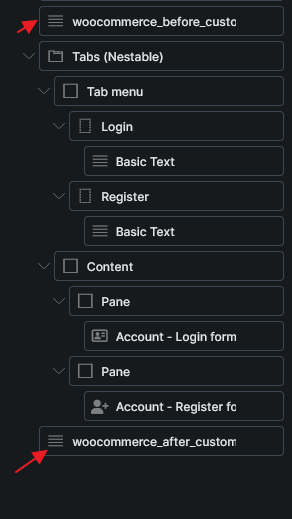
Example do_action location. Before and after the login/register forms.
Account - Lost / reset password
Section titled “Account - Lost / reset password”The WooCommerce account builder in Bricks also provides the following dedicated templates and elements for the lost & reset password pages:
| Account page | Template type | Elements |
|---|---|---|
| Lost password | WooCommerce - Account - Lost password | Account - Lost password |
| Lost password confirmation | WooCommerce - Account - Lost password (Confirmation | Displayed after submitting the lost password form. No special elements. |
Example: A password reset email has been sent to the email address on file for your account, but may take several minutes to show up in your inbox. Please wait at least 10 minutes before attempting another reset. | | Reset password | WooCommerce - Account - Reset password | Account - Reset password |
Templates for specific account endpoints
Section titled “Templates for specific account endpoints”Designing the account content area for individual account endpoints (Orders, Downloads, etc.) is possible by creating templates of the corresponding template type.
In the example below, we created a “WooCommerce - Account - Orders” template, to which we then added the “Account - Orders” that we styled a bit.
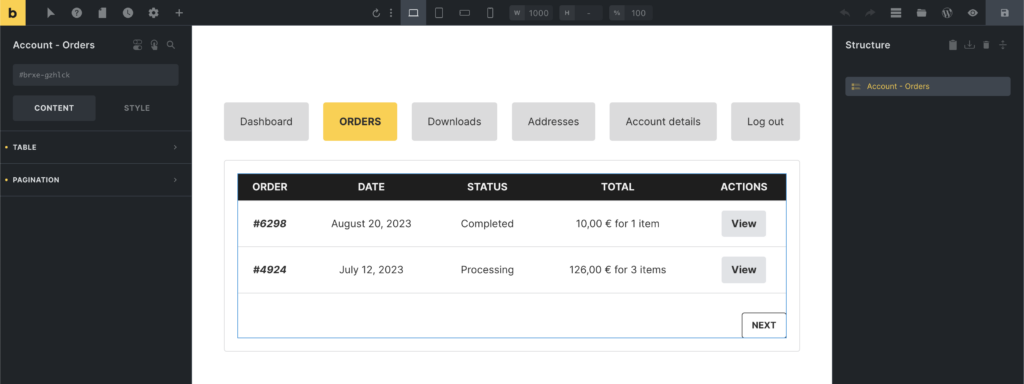
The process of creating those account endpoint templates is the same for all other WooCommerce account template types.
Account template types & elements
Section titled “Account template types & elements”| Template type | Endpoint | Element |
|---|---|---|
| WooCommerce - Account - Dashboard | / | - |
| WooCommerce - Account - Orders | orders/ | Account - Orders |
| WooCommerce - Account - View order | orders/view-order/{order_id}/ | Account - View order |
| WooCommerce - Account - Downloads | downloads/ | Account - Downloads |
| WooCommerce - Account - Addresses | edit-address/ | Account - Addresses |
| WooCommerce - Account - Edit address | edit-address/billing/ | |
edit-address/shipping/ | Account - Edit address | |
| WooCommerce - Account - Edit account | edit-account/ | Account - Edit account |